ROBOTICS 101 Northeastern University | Electrical and Computer Engineering

Robotics 101

A free place to start learning robotics. Try short interactive concepts, read practical handouts, and follow a roadmap from your first circuit to a robot that maps and navigates on its own.

Maintained by Prof. Xian (Shawn) Li, Department of Electrical and Computer Engineering, Northeastern University.

What every robot does

Almost every robot, from a vacuum to a Mars rover, runs the same loop many times per second. It senses, it thinks, and it acts. Each concept on this site is one piece of that loop.

Sense

Measure the world and the robot itself, with wheel encoders, IMUs, cameras, and LiDAR.

Think

Work out where the robot is and what to do next, even when every sensor is noisy.

Act

Turn a decision into motion, through wheels, motors, and joints.

Acting changes the world, so the robot senses again, and the loop repeats.

Concept explainers

Short interactive pages that show one robotics idea at a time. Move the sliders and watch what changes.

What Is a Robot?

Sort everyday machines into robot and not robot, and see what sensing, thinking, and acting each add.

  • Level Beginner

The Sense, Think, Act Loop

Run a robot loop one tick at a time and see how the loop rate decides whether the robot stops before a wall.

  • Level Beginner

Degrees of Freedom

Build simple mechanisms, count links and joints, and see how many independent ways each one can move.

  • Level Beginner

Reactive Robots: Braitenberg Vehicles

Wire two light sensors to two wheels in four ways and watch fear, aggression, love, and curiosity appear from simple wiring.

  • Level Beginner

Line Following

Tune a two-sensor and a five-sensor line follower on a curved track and compare on-off control with proportional control.

  • Level Beginner

Bug Algorithms

Watch Bug 1 and Bug 2 reach a goal around unknown obstacles using only a touch sensor and the direction to the goal.

  • Level Beginner

Subsumption and Layered Behaviors

Stack avoid, seek, and wander behaviors and see which layer takes control at each moment.

  • Level Beginner

Vectors, Dot and Cross Products

Drag two vectors and watch the projection, angle, and cross product update, then use them to tell if a target is ahead or to the left.

  • Level Beginner

Coordinate Frames and Rotations

Move and rotate a robot frame inside a world frame, and see how a point seen by the robot maps to world coordinates.

  • Level Beginner

3D Rotation Matrices

Rotate a 3D frame about x, y, and z and see that changing the order of the same rotations gives a different result.

  • Level Intermediate

Euler Angles and Gimbal Lock

Turn the yaw, pitch, and roll rings of a gimbal until two of them line up and one degree of freedom disappears.

  • Level Intermediate

Axis-Angle and Rodrigues' Formula

Pick a rotation axis and an angle and watch a vector sweep around the axis, then see the rotation matrix from Rodrigues' formula.

  • Level Intermediate

Quaternions and Interpolation (Slerp)

Blend between two orientations with slerp and with naive Euler-angle blending, and compare the paths the nose takes.

  • Level Intermediate

Homogeneous Transforms and Transform Chains

Chain world, base, arm, and camera frames and follow a point seen by the camera through every transform to the world.

  • Level Intermediate

Rigid Body Motion: Twists and Screws

Pick any end pose for a rigid body and see that the motion is a single rotation about one fixed point, the planar version of a screw axis.

  • Level Advanced

Lie Groups SO(3) and SE(3) for Robotics

Drive a robot with heading noise and see why its uncertainty is a banana, not an ellipse, and how the Lie group exponential map captures it.

  • Level Advanced

Linear Least Squares and the Pseudoinverse

Drag noisy points, fit a line or curve, and see the squared residuals the fit makes as small as possible.

  • Level Intermediate

Nonlinear Least Squares: Gauss-Newton and Levenberg-Marquardt

Fit a curve with Gauss-Newton and Levenberg-Marquardt from the same start, and watch where Gauss-Newton overshoots and LM stays safe.

  • Level Advanced

Gradient Descent and Optimization Landscapes

Drop a ball on a cost surface, change the step size until it diverges, and see how momentum helps in a narrow valley.

  • Level Intermediate

Gaussians and Covariance Ellipses

Stretch and rotate a 2D Gaussian and see the 1, 2, and 3 sigma ellipses and how many samples fall inside each.

  • Level Beginner

Bayes' Rule and Belief Updates

A robot checks whether a door is open with a noisy sensor. See how each reading updates its belief, drawn as areas you can see.

  • Level Beginner

Sampling and Monte Carlo

Estimate the free area of a cluttered room by throwing random points, and watch the error shrink as more points land.

  • Level Beginner

Numerical Integration: Euler versus RK4

Simulate the same pendulum with three integrators and see Euler gain energy while RK4 stays accurate.

  • Level Intermediate

Sampling, Aliasing, and the Nyquist Rate

Film a spinning wheel at different frame rates and see it appear to slow down, stop, or turn backward.

  • Level Beginner

Frequency and the Fourier Transform

Build a sensor signal from sine waves and noise, see its spectrum, and remove the noise with a low-pass cutoff.

  • Level Intermediate

Wheel Encoders and Quantization

Spin a wheel past encoder ticks, read the A and B signals, and see how resolution and sample time limit speed estimates.

  • Level Beginner

Accelerometers and Gyroscopes

Tilt and spin a virtual IMU and see what its accelerometer and gyroscope report, including gravity and noise.

  • Level Beginner

IMU Bias, Noise, and Drift

Integrate a gyroscope and an accelerometer with bias and noise, and watch heading error grow linearly and position error grow even faster.

  • Level Intermediate

Complementary Filter for Tilt

Blend a noisy accelerometer and a drifting gyroscope with one slider, and see the fused tilt beat both.

  • Level Beginner

Magnetometers and Calibration

Spin a robot in a circle near iron parts and fix its distorted compass readings with hard-iron and soft-iron calibration.

  • Level Intermediate

GPS and GNSS

Move satellites across the sky and see how their geometry changes position error, then turn on RTK corrections.

  • Level Intermediate

Ultrasonic and Sonar Range Sensors

Sweep an ultrasonic sensor around a room and see its wide beam, missed echoes from slanted walls, and false readings from multipath.

  • Level Beginner

LiDAR and Time of Flight

Sweep a 2D LiDAR around a room and see how angular resolution, range, glass, and dark surfaces shape the scan.

  • Level Beginner

3D LiDAR and Point Clouds

Spin a multi-beam LiDAR above a street scene and see its rings on the ground, and how few points land on a person far away.

  • Level Intermediate

The Pinhole Camera Model

Move a 3D object in front of a camera and see where it lands in the image as the focal length and distance change.

  • Level Beginner

Lens Distortion and Camera Calibration

Bend a checkerboard grid with radial and tangential lens distortion, then recover the distortion from straight lines alone.

  • Level Intermediate

Stereo Vision and Disparity

Move an object in depth in front of two cameras and see its disparity shrink, and the depth error grow, with distance.

  • Level Intermediate

Depth Cameras: Structured Light and Time of Flight

Compare how a structured light camera and a time of flight camera see the same scene, and where each one fails: sunlight, glass, dark surfaces, and corners.

  • Level Intermediate

Radar

See how an FMCW radar turns a frequency chirp into range and speed, and how bandwidth decides whether two close objects can be told apart.

  • Level Intermediate

Event Cameras

Watch a fast spinning bar through a normal camera and an event camera, and see blur in one and a clean stream of brightness changes in the other.

  • Level Advanced

Force, Torque, and Tactile Sensors

Press on a tactile skin to see contact location and force maps, and push on a tool tip to see the six numbers a wrist force-torque sensor reports.

  • Level Intermediate

Encoders and Joint Sensing on Arms

Compare an absolute and an incremental encoder on a robot joint, then switch the power off while the arm sags and see which one still knows the angle.

  • Level Beginner

Time Sync, Latency, and Sensor Timestamps

Fuse a camera and a LiDAR on a turning robot and see how a camera delay that nobody accounts for makes the two disagree.

  • Level Intermediate

Extrinsic Calibration: Camera to LiDAR and Hand to Eye

Find the pose of a camera relative to a LiDAR by lining up a target both sensors can see, first by hand and then by solving for it.

  • Level Advanced

Differential Drive Kinematics

Set the left and right wheel speeds and watch how a two-wheeled robot like the TurtleBot 4 drives, turns, and spins in place.

  • Level Beginner

Odometry Drift

Drive a robot around a square and compare where it really is with where its wheel encoders say it is. Small errors grow with every lap.

  • Level Beginner

Forward and Inverse Kinematics of a Two-Link Arm

Turn the joints of a planar two-link arm to see forward kinematics, or click a target to have the arm solve inverse kinematics and reach it.

  • Level Beginner to intermediate

PID Control

Tune the P, I, and D gains and watch a robot drive to a target. See overshoot, oscillation, and steady-state error appear and disappear.

  • Level Beginner to intermediate

The Kalman Filter in 1D

A robot moves along a line and gets noisy position readings. Watch the Kalman filter blend its motion model with each reading to track the robot.

  • Level Intermediate

Particle Filter Localization

Hundreds of guesses about where a robot might be, each scored against range readings to landmarks. Watch the cloud collapse onto the true pose.

  • Level Intermediate

A* Path Planning

Draw walls on a grid and watch A*, Dijkstra, and greedy search find a path. See how a good heuristic cuts down the search.

  • Level Beginner to intermediate

Handouts

Longer guides you can read on screen or print. Every link inside is clickable.

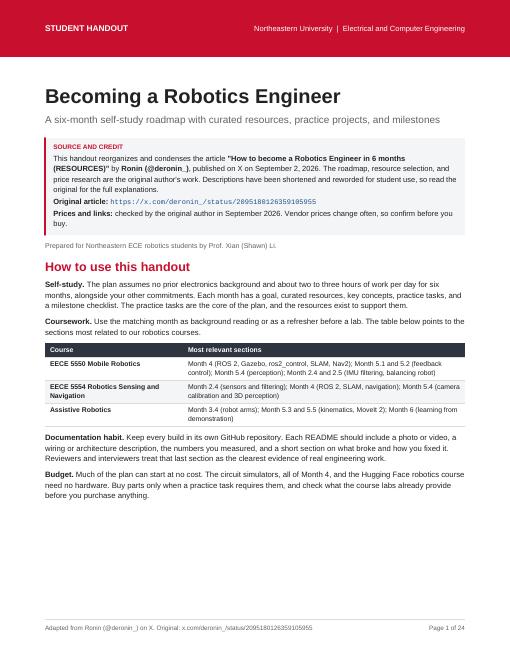
Cover page of Becoming a Robotics Engineer

Becoming a Robotics Engineer

A six-month self-study roadmap with curated resources, practice projects, and milestones. It assumes no prior electronics background and about two to three hours of work per day.

  • Level Beginner to intermediate
  • Length 24 pages
  • Format PDF

Adapted from work by Ronin (@deronin_) on X. The original ideas and structure are the original author's work.
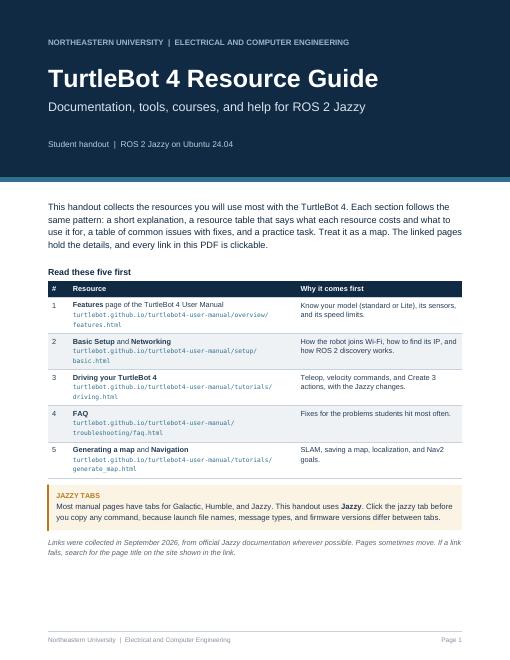
A six-month path

Ready to go further? The roadmap handout breaks robotics into six monthly steps, each with a goal and a signature build. Keep every build in its own GitHub repository, with a photo, your measured results, and a note on what broke and how you fixed it.

  1. Month 1

    Electronics, Python, Git

    Read a schematic, build a working circuit, and find faults.

  2. Month 2

    Microcontrollers, motors, sensors

    Build a robot that moves, senses, and corrects itself.

  3. Month 3

    CAD and fabrication

    Design a part, make it, and have it fit.

  4. Month 4

    ROS 2 and simulation

    Simulate a robot that maps and navigates on its own.

  5. Month 5

    Control, kinematics, perception

    Understand the math under the libraries.

  6. Month 6

    Robot learning and career

    Pick a direction, finish a portfolio piece, and apply.